ProZ.com frequently asked questionsProZ.com Events Main Main
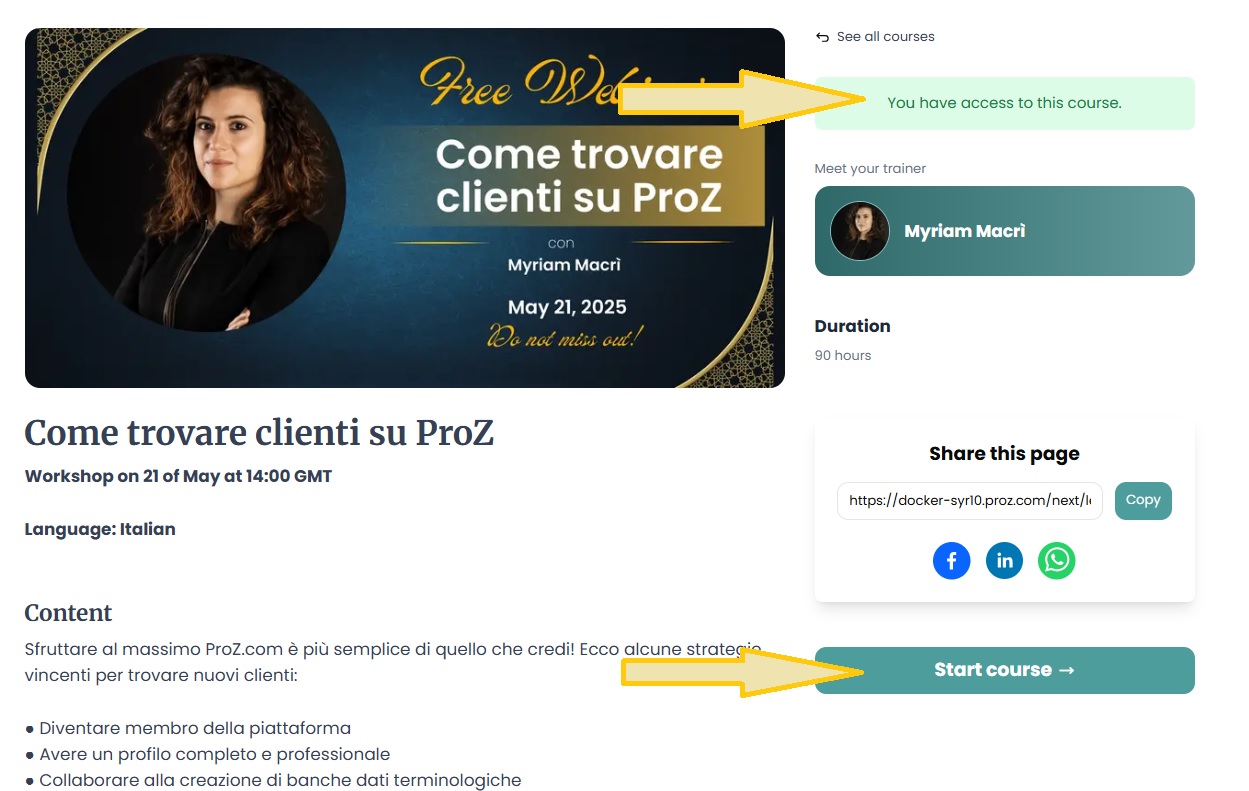
1 - ProZ.com Events: general 1.1 - Can I post information about a translation industry event? Yes, but only once, and in the dedicated forum for event announcements. 1.2 - What are ProZ.com training sessions? ProZ.com professional training offers online workshops and self-paced courses designed to enhance the skills of translators, interpreters, and other language industry professionals. Led by experts with proven experience, these training sessions provide practical insights and valuable knowledge. 2 - Can I be a ProZ.com trainer? If you are a ProZ.com member who has deep expertise in a given area and a passion for sharing your expertise with others, visit the ProZ.com trainer center to get started - no previous knowledge on e-learning technologies is needed and ProZ.com provides the tools and assistance for you to offer your training to the community. Submit a support request if you have any doubts. 3 - ProZ.com training and events - general information 3.1 - What payment methods are available? Why has my status not changed yet? All payment methods are available (credit card, Paypal, 2CheckOut, Moneybookers, wire transfer in USD or EUR). You will be able to select your payment method in the second stage of the payment process. Also, for some countries, local payment will be available. When paying in local currency (other than EUR and USD), the price of the session will be the course price equivalent in the local currency at the exchange rate of the day of the transaction ( www.xe.com/ucc will be used as a source). 3.2 - What is the cancelation policy for ProZ.com training sessions? ProZ.com workshops and self-paced courses come with a 7-day no questions asked, money back guarantee. In case of paid live sessions (webinars, workshops, meetups) the cancellation can made no later than 72 hours before the live event is due to start. Cancellations must be requested via support request at http://www.proz.com/support. 3.3 - In which currency can I pay for a training session ? All ProZ.com online training fees are available in USD and Euro, but only ProZ.com members in EU member states that have adopted the Euro (the Euro Zone) are charged in Euros. 3.4 - Why does ProZ.com sometimes charge VAT tax within the EU? (This question only affects members in Europe.) 3.5 - I am a ProZ.com member. Am I entitled to a discount? For some training sessions registration fees are discounted for full members. Please read the information at the Registration and Payment box at each training session. 3.6 - I am a student member of ProZ.com. Am I entitled to a discount? For some training sessions, registration fees are further discounted for ProZ.com student members. Some courses may include limits on the number of student seats available. Seats will be allotted on a first-paid basis. 3.7 - The training time is not suitable for me. Are there any other training sessions in my time zone? ProZ.com offers training from 8:00 GMT to 20:00 GMT, since most of the trainers are located in Europe. Please check the list of announced training sessions here, http://www.proz.com/training, as the timetables are usually rotated. 4 - ProZ.com webinars 4.1 - What is a ProZ.com webinar? Webinars at ProZ.com are online training sessions designed for translators and language professionals. They cover a wide range of topics, including language technology, business practices, localization, and more. Webinars can be live or recorded and are typically conducted via Google Meet. 4.2 - Which are the system requirements to attend a ProZ.com online session? Optimal requirements are: 4.3 - How can I book a place in a ProZ.com webinar? To book a webinar, click on the session name listed on the website, then click the 'Buy Now' button. After completing the payment, your registration status will be updated. You must have a ProZ.com profile and be logged in to complete the booking. If you don’t have a profile, you can create one for free in just a few minutes. 4.4 - After I registered, how do I join the online session?
4.5 - How do I find out the time of a webinar in my location?
4.6 - I don’t have a microphone can I still participate in a webinar?
4.7 - Will I have access to a recording of the session? Webinar sessions will be recorded. The video will be added to the training page on the LMS where you originally accessed the join link. You will receive an email notification once the recording is available. 4.8 - I did not attend the webinar and now want to watch the video. Where can I find it?
4.9 - I have not received a notification with the link to access the training platform.
4.10 - I am having technical problems on the webinar. Where can I find information?
4.11 - What is the refund policy?
5 - I want to leave feedback about a training session I attended. How can I do it? Once the course is done, participants with "registered and paid" status will be able (and encouraged) to post feedback on session material, trainer, organization, etc. at http://www.proz.com/translator-training/my-courses. Please bear in mind that feedback entries require vetting and that they will not appear immediately. Comments of a personal nature will not be permitted. 6 - ProZ TV Events 6.1 - What is a ProZ TV event? A ProZ TV event is an online broadcast featuring sessions, presentations, and discussions with industry experts on topics relevant to translators and language professionals. These events are hosted on the ProZ.com platform and may include interactive elements like Q&A sessions. 6.2 - How can I register for a ProZ TV event? Visit the ProZ TV event page, select the event you’re interested in, and click the 'Register for this event' button on the top right corner. Most TV events are free to attend, and video recordings are available to everyone for 24 hours after the broadcast. After that, recordings become an exclusive benefit for ProZ.com members. You can also purchase session recordings after TV events at ProZ Learn. 6.3 - Can I interact with the speakers during the TV event? Yes, all ProZ TV events include interactive elements such as live Q&A sessions or chat. You can submit your questions during the broadcast in the Chat, and selected questions will be addressed by the speakers. 7 - ProZ.com self-paced training
7.1 - How is self-paced training delivered? ProZ.com self-paced training is delivered via integrated Moodle at https://lms.proz.com/login/index.php. Once payment is received, a trainee gets access and log in details for the session. 7.2 - Will I receive any proof of having attending a self-paced training session? Attendees will receive proof of completion via a certificate, however each course will have different criteria ranging from testing, hours logged within the Moodle session, attendance at scheduled meetings and other criteria to determine course completion. 7.3 - How long will I have access to the self-paced training after making payment? Access time will depend on the specific type of session and program details. Trainees access to course materials with Instructor assisted training and training with scheduled meetings will end when the specified time period ends. Entirely self-study training will specify duration in the description and may range from a few months to a year. 7.4 - Does self-paced training contain testing, instructor feedback, set times for delivery/meeting? Self-paced training may contain tests, assignments that are submitted for instructor feedback, assignments with due dates, and possibly scheduled webinars or online meeting times with instructors. Each self-paced training session is different; please check the course description and overview. Within each Moodle course there will be instructions and details with this information as well. 8 - ProZ.com Meetups 8.1 - Who can join ProZ.com Meetups ProZ.com Meetups are open to all paying members on ProZ.com, whether they are Professional members or Business members. 8.2 - How do I stay up to date with ProZ.com Meetups? Head to your Notification settings (Other notifications) and make sure to turn on the option to receive notifications about events (virtual and in your area). 9 - Powwows 9.1 - ProZ.com Powwow는 무엇인가요? Powwow는 가까운 지역에 거주하는 ProZ.com 사용자 그룹의 비공식 모임입니다. 이 이벤트는 지역 번역가들이 지역 번역가들을 위해 개최합니다. 9.2 - 'Powwow'라는 단어는 어디에서 유래했나요? Powwow는 북미 원주민의 모임 전통이며, 때때로 춤 경연을 포함합니다. 업무를 완수하는 사교 모임이라는 보편적인 뜻을 지닌 단어입니다. 9.3 - Powwow에서는 무엇을 하나요? Powwow는 다른 언어 전문가들과 네트워킹 및 비공식 친목 도모를 할 수 있도록 프로필상으로만 보던 사람들을 직접 만나보실 수 있는 기회를 제공합니다. 9.4 - 누가 참가할 수 있나요? ProZ.com에 가입하신 분이라면 멤버십 종류에 관계없이 누구든 참가하실 수 있습니다. ProZ.com에 가입하지 않은 번역가뿐만 아니라 회원들의 배우자, 자녀, 손님도 참가하실 수 있습니다. 9.5 - 참가하려면 비용을 내야 하나요? 현재로서는 Powwow 참가 비용은 없습니다. 하지만 현지 주최자 측에서 여러분 몫의 이벤트 참여 비용을 내도록 요청할 것입니다. Powwow가 소규모의 커피 또는 저녁 모임인 경우 참가비는 자비로 부담하셔야 할 수도 있습니다. 규모가 더 큰 모임의 경우, 지역 주최자들은 음식, 음료 등에 해당하는 비용을 나누어 내도록 제안할 수 있습니다. 9.6 - 아이들을 데려가도 되나요? 손님을 데려가도 되나요? 네, 가족과 손님을 데려오셔도 됩니다. 9.7 - ProZ.com 담당자가 참가하나요? 경우에 따라 참가자의 신원을 확인할 권한이 있는 담당자가 참석합니다. 등록 사용자들은 지정된 담당자에게 사진이 부착된 신분증을 제시하여 신원을 확인하실 수 있습니다. 9.8 - 나의 지역에서 열리는 다음 Powwow는 언제인가요? 이 보드에서 다가오는 Powwow를 확인하실 수 있습니다. 9.9 - 내 이름을 추가하면 참가하는 것으로 간주되나요? 많은 사람들은 계속 소식을 받기 위해 자신의 이름을 추가하는 것뿐입니다. 주최자로서 여러분은 참가하려고 이름을 남긴 사람들 중 40~50%에 해당하는 인원에 대해서만 모임을 계획해야 합니다. 9.10 - 참가하려면 어떻게 신청하나요? Powwow 보드에서 나의 지역에서 열리는 Powwow를 확인하실 수 있습니다. 나의 지역 근처에서 열리는 Powwow를 클릭하여 해당 페이지로 이동한 후 관심이 있다면 이름을 추가합니다. (이름은 언제든 조건 없이 삭제하실 수 있습니다.) 이름 옆에 메모를 추가하려면 클릭하기 전에 박스에 텍스트를 입력해주시기 바랍니다. 9.11 - Powwow를 개최할 수 있나요? ProZ.com 회원이거나 신원이 확인된 등록 사용자라면 Powwow 페이지에 있는 적절한 양식을 작성하여 나의 지역에서 Powwow를 제안할 수도 있습니다. ProZ.com에서 Powwow를 승인하거나 승인하지 않을 수도 있습니다. 9.12 - I am organizing a powwow and I'd like to invite more people to attend. How can I do it? You can submit a powwow promotion request. To do so click on the "Request promotional email" link at the top of the page of the powwow you are organizing. This will lead you to the page where you can submit your promotion request together with a sample text you can use for the invitation. Note: this feature is only available to powwow organizers 9.13 - I am organizing a powwow and I would like to include an image on the powwow page. How can I do that? Please submit a support request and attach the image you would like to include on the powwow page. Please make sure you also include the link to the powwow you are organizing. 9.14 - Should the text of the invitation to my powwow be in English only? No. You can use the invitation in English provided as a model and translate it into the language in which the powwow will be held. 9.15 - What happens after I submit my promotion request? You will be contacted by site staff with an update of your request status through the support request that is automatically generated after you submit the promotion request. 9.16 - Powwow 페이지에서 "출석 데이터 입력" 링크를 찾을 수 없는 이유는 무엇입니까? [출석 데이터 입력]을 모임 페이지에서 확인하려면 24시간이 걸리며, 모임 주최자에게만 보입니다. 주최자가 아니라면 주최 당사자에게 연락하여 출석 데이터를 입력하도록 요청하시면 됩니다. 9.17 - 내 Powwow의 사진을 업로드했지만 아무 일도 일어나지 않았습니다. Powwow 페이지에 업로드한 사진을 확인하려면 최대 24시간이 걸립니다. 24시간 후에도 사진이 보이지 않는다면 다시 업로드하거나 지원 요청을 제출하시기 바랍니다. 9.18 - Powwow 준비/참가로 받는 Browniz는 어떻게 주어지나요? Powwow 주최자는 2000 Browniz를 받습니다. 참가자는 200 Browniz를 받습니다. 10 - ProZ.com conferences - learning, networking and fun!
10.1 - What is a ProZ.com conference?
10.2 - Are all ProZ.com conferences conducted in person? No, there are also virtual conferences. Virtual conferences are held online and attended by participants all over the world. For more information about ProZ.com virtual conferences please see the related FAQs. 10.3 - How do I register for a conference?
10.4 - How do I pay for the conference?
10.5 - What is the conference cancellation policy?
| Request help Site documentation The member services and support team  Jared  Lucia  Helen  Yana  Karen  Hayjor  Andrea  Naiara  Joseph  Saint  Valentin  Laura  Erika  Agostina  Ana |